
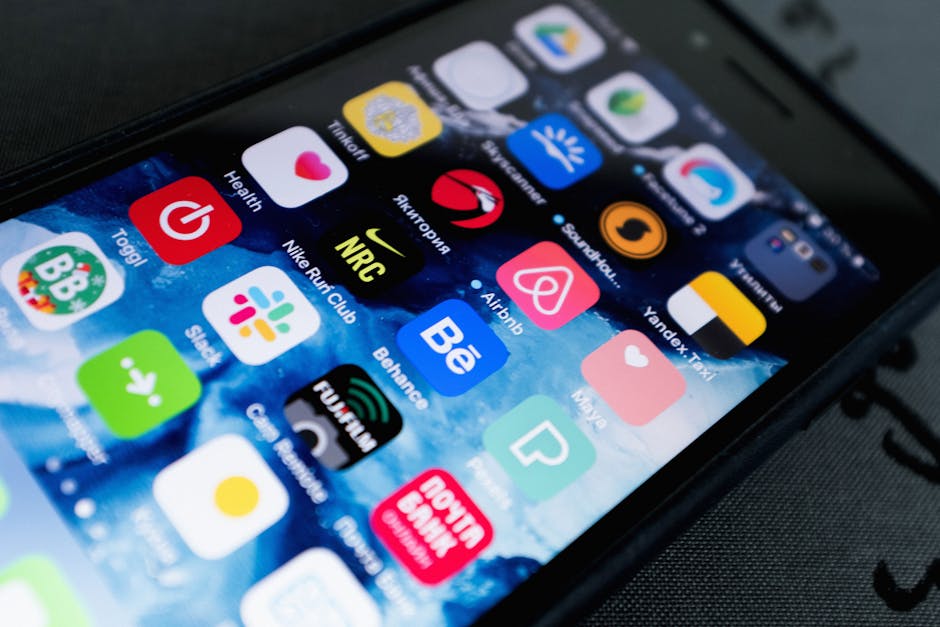
I was standing in the middle of a literal rainstorm in Lisbon back in 2019, staring at my iPhone screen while a ‘top-rated’ transit app told me a bus was coming in two minutes. It wasn’t. The bus line had been discontinued three months prior. I stood there for forty minutes, getting soaked to the bone, clutching a phone that was basically lying to my face. That was the day I realized most travel app recommendations are written by people who haven’t left their home office in three years. They just recycle the same list of venture-capital-backed bloatware that sells your location data to the highest bidder.
Most travel apps are useless. They’re just wrappers for websites that work better in Safari anyway. You don’t need a dedicated app to book a hotel, and you certainly don’t need one to ‘find hidden gems’ that are actually just the top three results on every other blog. After ten years of traveling for work and pretending I’m a digital nomad on the weekends, I’ve deleted about 90% of what’s on the App Store. My home screen is a graveyard of ‘disruptive’ travel tech.
The map situation is getting worse, not better
Google Maps is becoming a digital billboard. I know people will disagree with me on this, and honestly, I might be wrong about the long-term utility, but it’s becoming unusable for actual navigation in dense cities. Every time I open it, I have to dodge three pop-ups for ‘sponsored’ coffee shops before I can see where the hell I am. I did a weirdly specific test last summer in Tokyo: I tracked battery drain across four different map apps over a six-hour walking period. Google Maps chewed through 14% of my battery per hour. Apple Maps was better at 9%. But the winner? Organic Maps.
Organic Maps is what Google Maps used to be before it got greedy. It uses OpenStreetMap data, it’s completely offline, and it doesn’t try to sell me a burrito when I’m looking for a pharmacy. It’s ugly. It looks like it was designed in 2012 by someone who hates colors. But it works when you have zero bars of signal in the Swiss Alps. I’ve bought the same $120 external battery pack four times because I’m paranoid about my phone dying, but using Organic Maps actually makes me feel like I don’t need it. It’s the only app I trust when I’m actually ‘out there.’
Anyway, I digress. The point is that you need an offline backup that isn’t owned by a multi-billion dollar advertising company.
The one app I’d pay $50 for (and I actually do)

It’s called Flighty. It is expensive. It is arguably overpriced for what it does. But it is the only app that actually feels like it was built for the person sitting in the terminal, not the airline’s marketing department. It tells me my gate has changed about ten minutes before the airport monitors even flicker. Last March, it alerted me to a mechanical delay on a Lufthansa flight from Frankfurt before the gate agents even knew there was a problem. I was first in line at the service desk while everyone else was still scrolling Instagram. That one head start saved me a night on a terminal floor. Worth every penny.
Pro tip: If you travel more than three times a year, just pay for the pro version. The free version is fine, but the live activities on the iPhone lock screen are the real reason to own it. Seeing your arrival gate without even unlocking your phone is a small mercy when you’re carrying three bags and a lukewarm coffee.
I used to think TripIt was the gold standard for organizing itineraries. I was completely wrong. It’s too cluttered now. It tries to do too much. What I mean is—actually, let me put it differently. It feels like homework. I don’t want to manage my travel; I just want to travel. Flighty handles the hard part of the logistics, and I keep everything else in a simple Note in the Apple Notes app. Nothing fancy. Just text.
Stop using TripAdvisor. Just stop.
I have a genuinely unfair hatred for TripAdvisor. It is a cesspool. It’s where people go to complain that the bread in Paris was ‘too crunchy’ or that the staff at a 400-year-old pub in London didn’t smile enough. If you use TripAdvisor to find food, you deserve the mediocre, overpriced tourist trap you inevitably end up in. I refuse to recommend it, even though every ‘best travel apps’ list includes it. It’s a digital parasite that feeds on the worst impulses of tourists.
Instead, use The Fork if you’re in Europe. It’s owned by TripAdvisor (which is the irony I have to live with), but the interface is built for locals making reservations, not tourists leaving rants. Or better yet, just use the ‘Search this area’ function on Apple Maps and look for places with 4.2 stars. Not 4.8—those are usually fake or brand new. 4.2 is the sweet spot of reality. Total truth.
One more thing: Airalo. If you are still paying your carrier $10 a day for an ‘international pass,’ you are being robbed. I’ve used Airalo in 12 countries over the last two years. You buy an eSIM, you toggle a switch, and you have data for like $5 a week. It’s not perfect—sometimes the ping is high, and you can’t always make traditional phone calls—but for staying connected, it’s unbeatable. I once tried to set up a local SIM in a kiosk in Bangkok and ended up accidentally signing a contract I couldn’t read. Never again.
The unglamorous stuff
You don’t need a ‘travel journal’ app. Use your camera roll. You don’t need a ‘budget tracker’ app. Use a spreadsheet or just spend less money. The best iPhone setup for travel isn’t about adding more icons; it’s about having the three or four things that actually prevent a disaster.
- Flighty: For the logistics.
- Organic Maps: For when the signal dies.
- Airalo: For cheap data.
- Google Translate: Specifically the ‘instant camera’ mode. It’s the only thing Google still does perfectly.
I still worry that I rely on my phone too much. There’s something pathetic about being in a beautiful city and spending half your time looking at a 6-inch screen to figure out where the ‘authentic’ experience is. But then I remember that rainstorm in Lisbon. I’d rather be a slightly pathetic person with a working map than a ‘pure’ traveler who’s soaking wet and lost. I think about that bus stop every time I download a new app. Does this actually solve a problem, or is it just another thing to manage? Most of the time, the answer is no.
Which app do you actually rely on when everything goes wrong? I genuinely don’t know if there’s a better one for ground transit than what I’ve found.