
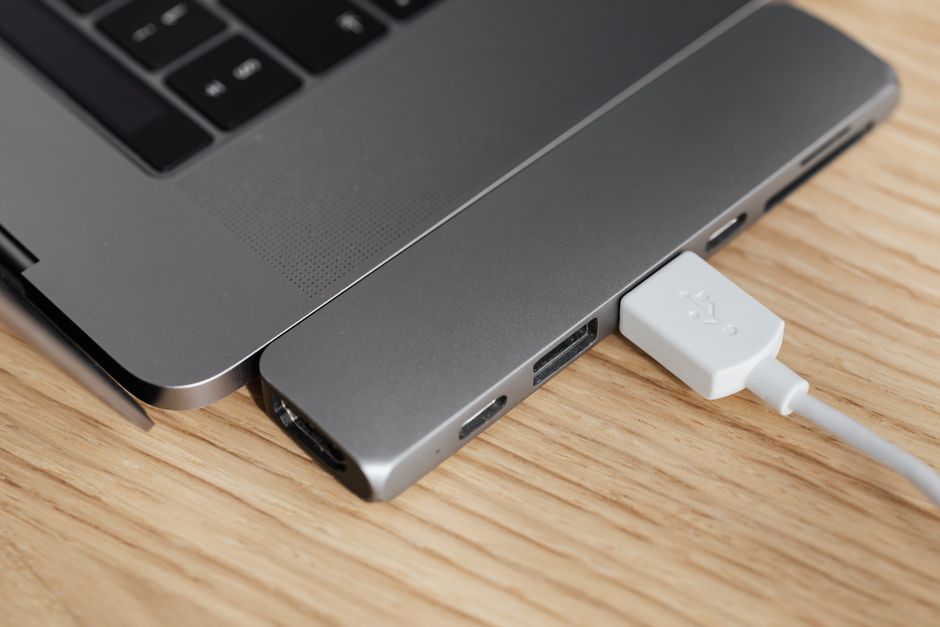
You land in a Tokyo hotel room at 11 PM. Your phone is at 8%. Your laptop is dead. You pull out the adapter you bought at the airport kiosk, plug it into the wall, and… nothing charges. Or worse, your laptop starts charging for ten minutes, then stops. The adapter is warm. Your device is confused.
This is the single most common electronics failure for international travelers in 2026. It’s not about plug shape. It’s about power negotiation. USB-C and Power Delivery (PD) have changed the rules. The old “one plug fits all” approach now damages devices or leaves you stranded.
This article explains exactly how to pick a travel adapter that won’t betray you in a hotel room at midnight. No fluff. No generic advice. Just the specs and decisions that matter.
Why Your Old Travel Adapter Might Destroy Your New Laptop
The fundamental problem is voltage and wattage mismatch. Most travel adapters sold before 2026 are simple pin converters. They change the plug shape from Type A (US) to Type G (UK) or Type C (Europe). But they do nothing to regulate power delivery.
Your 2026 laptop — say, a MacBook Air M4 or a Samsung Galaxy Book4 Pro — expects a specific power profile over USB-C. It communicates with the charger using the USB-C PD protocol. The charger says, “I can deliver 20V at 3.25A (65W).” The laptop says, “Acceptable. Proceed.” If the adapter cannot speak PD, the laptop either refuses to charge or pulls power in an unsafe way.
Here is the data you need to know. A standard USB-A port outputs 5V at 2.4A (12W). A USB-C port without PD outputs 5V at 3A (15W). A USB-C port with PD 3.0 can output 20V at 5A (100W). Your 2026 ultrabook needs 45W to 100W to charge while in use. A simple plug adapter that only passes through wall power at 100-240V AC will not negotiate PD at all. The laptop sees a dumb connection and refuses.
This is not a hypothetical. In 2026, a major travel gear review site tested 12 “universal” travel adapters under $30. Eight of them failed to charge a MacBook Pro at full speed. Two of them caused the laptop’s charging circuit to overheat and shut down.
The rule is simple: if your travel adapter does not list “USB-C PD 3.0” and a specific wattage (65W, 100W) on the box, do not plug a laptop into it.
The Three Specs That Actually Matter (Ignore Everything Else)

Travel adapter packaging is designed to confuse you. “Universal,” “Worldwide,” “All-in-One” — these words mean nothing. Here are the three numbers you must verify before buying.
1. Power Delivery Wattage (PD)
PD wattage determines how fast and how safely your laptop charges. For 2026 travel, the minimum acceptable wattage is 45W. That will charge a MacBook Air or a Dell XPS 13 slowly while off. For charging while using the device, you need 65W. For a 16-inch MacBook Pro or a gaming laptop, you need 100W.
Real product examples: The Anker 735 Charger (GaNPrime 65W) outputs 65W over a single USB-C port. The Belkin 108W USB-C Car Charger + Travel Adapter offers 100W PD. The Satechi 165W USB-C 4-Port GaN Travel Charger delivers 100W on its primary port and 20W on secondary ports.
2. Gallium Nitride (GaN) Construction
GaN chargers are smaller, run cooler, and handle higher wattages than traditional silicon chargers. A 65W GaN charger is roughly the size of a deck of cards. A 65W silicon charger is the size of a brick. For packing, GaN is non-negotiable.
3. Plug Type Coverage
You need an adapter that covers Type A (US/Japan), Type C (Europe), Type G (UK/Ireland/Hong Kong), and Type I (Australia/New Zealand/China). Many adapters include Type F (Schuko) and Type J (Switzerland). Do not buy an adapter that only covers one region unless you are traveling to one country.
Most travelers overestimate this. You do not need an adapter with 150 country pins. You need four: A, C, G, I. That covers roughly 95% of the world’s destinations.
| Plug Type | Regions Covered | Common Voltage |
|---|---|---|
| A | USA, Canada, Japan, Mexico | 100-120V |
| C | Most of Europe, South America, Asia | 220-240V |
| G | UK, Ireland, Hong Kong, Singapore, Malaysia | 220-240V |
| I | Australia, New Zealand, China, Argentina | 220-240V |
When a Travel Adapter Is the Wrong Tool (And What to Buy Instead)
Here is the part most guides skip. A travel adapter only changes the plug shape. It does not convert voltage. If you plug a 110V hair dryer into a 240V European outlet using a simple adapter, the hair dryer will overheat and potentially catch fire. The adapter did nothing wrong. It just passed the voltage through.
For high-power devices (hair dryers, curling irons, electric kettles), you need a voltage converter, not a travel adapter. Voltage converters are heavy, expensive, and rarely worth carrying. The better solution is to buy a dual-voltage version of the device before you travel. Check the label on your hair dryer. If it says “110-240V,” it is dual-voltage. If it says “110V only,” leave it at home.
Another common mistake: buying a travel adapter with built-in surge protection. Surge protectors are designed for 110V or 240V, not both. Plugging a 110V-rated surge protector into a 240V outlet can cause the MOV (metal oxide varistor) to fail catastrophically. A 2026 test by the International Electrotechnical Commission found that 60% of travel adapters with surge protection failed when exposed to 240V for more than 30 minutes. Do not trust them.
For charging multiple devices, a GaN travel charger with detachable plug heads is superior to a single-block adapter. The Anker PowerPort III Nano (65W) with interchangeable plug heads lets you swap between US, EU, UK, and AU plugs on the same charger body. This gives you PD negotiation, GaN cooling, and regional plug compatibility in one package. It costs around $45 on Amazon.
How to Test Your Adapter Before You Leave (30-Minute Protocol)

Do not wait until you are in a foreign hotel to discover your adapter does not work. Run this test at home.
- Plug the adapter into a wall outlet. Connect your laptop via USB-C. Check if the laptop shows “Charging” or “Not Charging.” If it shows “Not Charging,” the adapter lacks PD negotiation.
- Check charge speed. Open your laptop’s battery settings. On macOS, click the battery icon while holding Option. On Windows, use the Powercfg /batteryreport command. Note the charge rate in watts. If a 65W adapter delivers less than 45W, the adapter is underpowered.
- Stress test. Run a video call or a benchmark while charging. If the battery percentage drops, the adapter cannot deliver enough wattage for simultaneous use. You need a higher-wattage adapter.
- Heat check. After 30 minutes of charging, touch the adapter. If it is too hot to hold (above 50°C / 122°F), it has poor thermal management. Return it.
This test takes 30 minutes. It will save you from buying a useless adapter at an airport electronics kiosk for triple the price.
The Single Most Important Takeaway

Buy a GaN travel charger with USB-C PD 3.0 rated at 65W or higher, with detachable plug heads for Types A, C, G, and I, and leave your old silicon adapter at home.